Tag: Performance

  • Data-oriented design and CPU caches

    Data-oriented design and CPU caches

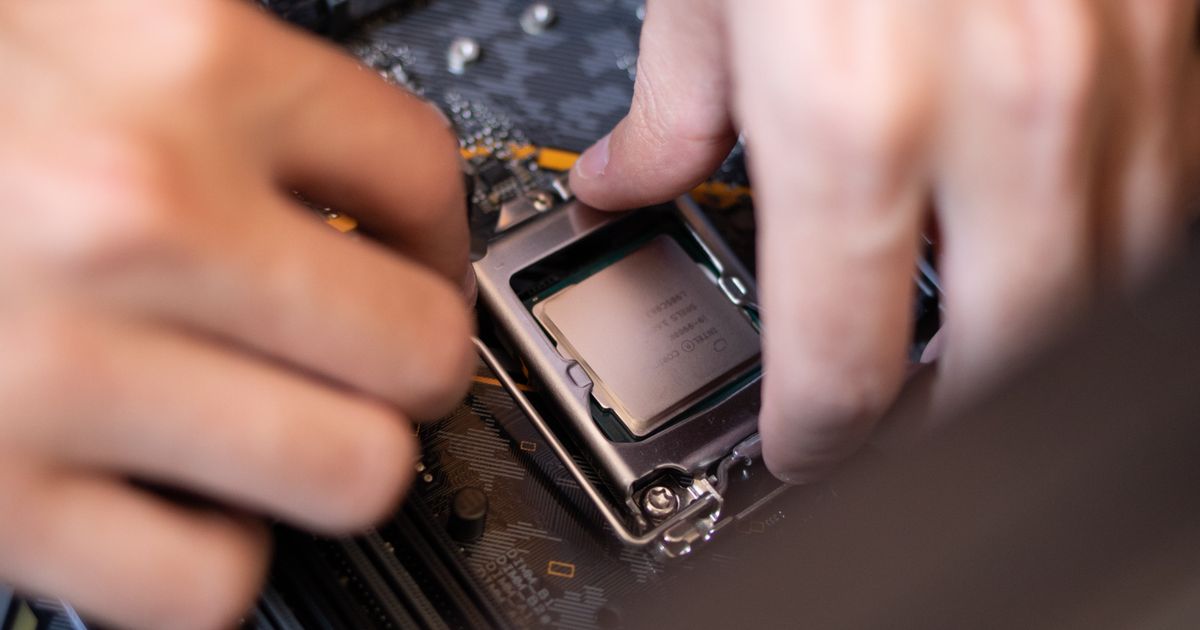
    The single biggest performance lesson I ever learned is that modern CPUs are not slow at computing, they are slow at waiting for memory. A cache miss to main memory can cost a couple hundred cycles. In that time the CPU could have done hundreds of additions. Once you internalize that gap, you start designing programs around how data moves, not just what operations run on it. That is the heart of data-oriented design.

    The memory hierarchy is the real machine

    Between the CPU and main memory sit several layers of cache: L1 is tiny and nearly as fast as registers, L2 is bigger and slower, L3 bigger and slower still. When the CPU needs a byte, it does not fetch one byte. It fetches a whole cache line, typically 64 bytes, and stores it in cache. If your next access is within that line, it is nearly free. If it is somewhere far away, you pay the full miss penalty.

    This means the layout of your data in memory directly controls your performance. Two programs doing the identical arithmetic can differ by an order of magnitude based purely on access patterns.

    Arrays of structs versus structs of arrays

    The classic example is how you store a collection of records. The intuitive object-oriented layout is an array of structs:

    struct Particle {
        float x, y, z;     // position
        float vx, vy, vz;  // velocity
        float mass;
        char name[32];
    };
    struct Particle particles[100000];
    
    // update positions
    for (int i = 0; i < 100000; i++) {
        particles[i].x += particles[i].vx;
    }

    This loop only touches x and vx, but every cache line it loads is full of mass, name, and the other fields you do not need. You are dragging cold data through cache for nothing. The data-oriented layout splits the fields into parallel arrays, a struct of arrays:

    struct Particles {
        float x[100000], y[100000], z[100000];
        float vx[100000], vy[100000], vz[100000];
        float mass[100000];
    };
    
    for (int i = 0; i < 100000; i++) {
        p.x[i] += p.vx[i];
    }

    Now the x array and vx array are each densely packed. Every byte you pull into cache is a byte you use. On real hardware this kind of change routinely gives 3x to 10x speedups on hot loops, with no algorithmic change at all.

    Why pointer chasing hurts

    Linked lists and node-based trees are the opposite of cache-friendly. Each node is a separate heap allocation that can live anywhere, so traversing the list jumps all over memory and misses the cache on nearly every step. If you understand stack vs heap memory and how heap allocations scatter, this follows naturally. A flat array you scan linearly is dramatically faster than a linked list with the same number of elements, even though both are O(n), because the hardware prefetcher can predict and preload sequential access.

    • Prefer contiguous arrays over node-based structures when you iterate often.
    • Group fields you access together, and separate the ones you do not.
    • Process data in the order it sits in memory whenever you can.
    • Keep hot data small so more of it fits in cache at once.

    It is the same idea as a good allocator

    This is why allocation strategy matters so much. If you allocate ten thousand objects one at a time, they end up scattered. If you allocate them in one block, they sit together and iterate fast. The custom allocator in writing a simple memory allocator gives you exactly this control: you decide the layout instead of leaving it to chance.

    False sharing, the multicore trap

    There is a nastier cache effect that shows up with threads. If two cores each write to different variables that happen to live in the same 64 byte cache line, the hardware has to keep bouncing that line between their caches even though the threads never touch the same bytes. This is called false sharing, and it can quietly destroy the scaling of an otherwise parallel program. The fix is to pad or align the per-thread data so each thread's hot variables sit on their own cache line. I have seen a loop go from no speedup on eight cores to near linear scaling with nothing more than a padding field added to a struct.

    When to reach for this

    I do not restructure everything around the cache. For code that runs once or rarely, clarity wins. But for the hot loops, the inner kernels that run millions of times, data layout is usually the first thing I tune and often the highest return. Profile first, find where the cache misses are, then lay the data out the way the hardware wants to read it. The machine is happy to be fast if you stop making it wait.


  • How to optimize images for the web

    How to optimize images for the web

    If a page feels slow, images are the first thing I check, and they are almost always the culprit. Text and code are tiny. A single uncompressed hero photo can outweigh your entire JavaScript bundle. The good news is that image optimization is mostly mechanical, and you can automate the whole thing.

    Choose the right format

    Format choice is the highest-leverage decision you make. JPEG is fine for photographs but it is old and inefficient. PNG is for images that need transparency or sharp edges, like logos and screenshots, and it is terrible for photos. The modern answer for almost everything is WebP, which gives you JPEG-quality photos at a fraction of the size, and AVIF when you want to push compression even further. I serve AVIF with a WebP fallback and a JPEG fallback below that.

    • Photographs: AVIF or WebP, never raw JPEG if you can avoid it.
    • Logos and icons: SVG when possible, it scales infinitely and weighs nothing.
    • Screenshots with text: PNG or WebP lossless so the text stays crisp.

    Resize before you compress

    This is the mistake I see constantly. People take a 4000 pixel wide camera photo, compress it, and display it in a 600 pixel column. The browser downloads all those wasted pixels and throws them away. Resize the image to the largest size it will actually be shown at first, then compress. Resizing alone often cuts file size by 80 percent before you have touched quality settings.

    To know the right target width, look at how wide the image actually renders in your layout, then double it for high-density screens. A photo shown at 600 pixels should be exported at 1200 so it stays crisp on a retina display, and no larger. Going beyond that is pure waste, because the extra pixels never reach a single eye. I keep a small table of the render widths in my design and resize to match each one.

    Automate it with sharp

    I do not hand-edit images in an app. I run them through a script using the sharp library, which is fast and produces excellent output. A short pipeline resizes and converts everything in a folder:

    const sharp = require('sharp');
    
    sharp('input.jpg')
      .resize({ width: 1200, withoutEnlargement: true })
      .webp({ quality: 75 })
      .toFile('output.webp')
      .then(() => console.log('done'));

    Quality 75 on WebP is my default. The difference between 75 and 90 is invisible on a screen but doubles the file size. Drop it into your build and every image gets the same treatment automatically, which fits neatly into a pipeline run through CI/CD with GitHub Actions.

    Serve responsive sizes

    A phone and a desktop should not download the same image. Generate a few widths and let the browser pick using srcset. The markup tells the browser what sizes exist and how wide the image renders, and it grabs the smallest one that still looks sharp:

    <img
      src="photo-800.webp"
      srcset="photo-400.webp 400w, photo-800.webp 800w, photo-1200.webp 1200w"
      sizes="(max-width: 600px) 100vw, 600px"
      alt="A descriptive caption"
    >

    Lazy load everything below the fold

    Add loading="lazy" to images that are not visible when the page first paints. The browser then defers loading them until the user scrolls near. This is a one-attribute change with a big payoff, because it stops offscreen images from competing for bandwidth with the content people actually see. Leave it off your hero image though, since you want that one to load immediately.

    Always set width and height

    Set explicit width and height attributes, or a CSS aspect ratio, on every image. Without them the browser does not know how much space to reserve, so the page jumps around as images load. That jump is layout shift, and it is one of the metrics Google grades you on. It also just feels broken to users. Reserving the space costs nothing and fixes it completely.

    The payoff

    Put these together and a typical image-heavy page goes from several megabytes to a few hundred kilobytes with no visible quality loss. That shows up directly in your load times and your Core Web Vitals. Lighter images mean a snappier site everywhere, including the moment you push it live through Cloudflare Pages and your visitors load it from the edge. Optimize once in the build, and you never have to think about it per-image again.

  • Flutter performance optimization

    Flutter performance optimization

    A Flutter app that drops frames feels cheap no matter how nice it looks. The framework is fast by default, but it is easy to undo that with a few careless habits. I have spent enough time in the profiler to know where the time goes, and most of the wins come from a short list of fixes rather than clever tricks. Here is what I check first.

    Measure before you change anything

    Never optimise on a hunch. Run the app in profile mode, not debug mode, because debug builds are deliberately slow and will lie to you. The DevTools performance view shows you the frame timeline, and anything that pushes a frame past sixteen milliseconds is your problem. Find the actual slow frame before touching code, or you will spend an afternoon speeding up something nobody noticed.

    flutter run --profile
    # then open DevTools and record the performance timeline

    Use const wherever you can

    A const widget is built once and reused, so the framework skips rebuilding it. This is the cheapest performance win in Flutter and most apps leave it on the table. If a widget and its inputs never change, mark it const. The analyzer can even flag the spots for you if you turn on the right lint.

    // rebuilt every time the parent rebuilds
    Padding(padding: EdgeInsets.all(8), child: Text('Hi'))
    
    // built once and cached
    const Padding(padding: EdgeInsets.all(8), child: Text('Hi'))

    This matters most inside widgets that rebuild often, which loops back to choosing the right approach in Flutter state management. A tight rebuild scope plus const widgets keeps the work the framework does each frame small.

    Build long lists lazily

    The single most common mistake I see is building a long list with a Column inside a scroll view. That constructs every item up front, even the thousands off screen. ListView.builder only builds what is visible plus a small buffer, so memory and build time stay flat no matter how long the list is. For any list that can grow, use the builder.

    ListView.builder(
      itemCount: items.length,
      itemBuilder: (context, index) {
        return ListTile(title: Text(items[index]));
      },
    )

    Keep work off the main thread

    The UI runs on one thread, and anything heavy you do there steals time from rendering. Parsing a large JSON payload, resizing an image, or running a slow computation will freeze the interface. Move that work to a background isolate with the compute helper so the UI thread stays free to draw frames.

    import 'package:flutter/foundation.dart';
    
    Future<List<Item>> parseItems(String json) {
      return compute(decodeItems, json);
    }
    • Profile in profile mode, never debug mode
    • Mark unchanging widgets const
    • Use builder constructors for long or growing lists
    • Push parsing and heavy math to an isolate
    • Cache and size images instead of loading full resolution

    Images are usually the hidden cost

    Images eat memory faster than anything else. A photo loaded at full resolution into a small thumbnail wastes most of that memory. Set a cache width that matches the display size so the framework decodes a smaller bitmap. For network images, use a caching package so you fetch each one once rather than on every scroll.

    Watch your shaders on first run

    The first time an animation runs, Flutter may compile shaders, which causes a one off stutter that users notice on a fresh install. You can warm up shaders during a splash screen so the jank happens before the user is watching. This is a small detail, but first impressions stick. Native code paths can also affect startup, which is why I keep platform work lean as described in Flutter platform channels. Performance is rarely one big fix. It is a dozen small ones, each measured, each kept.

  • Database indexing and query optimization, a deep dive

    Database indexing and query optimization, a deep dive

    If you give me one slow query and an hour, the fix is an index more often than anything else. Indexes are the highest-leverage performance tool in a relational database, and they are also where I see the most confident, wrong intuition. People add an index to every column “just in case,” or they add a multi-column index in the wrong order and wonder why the planner ignores it. This is my mental model for how indexes work and how I decide which ones to build.

    None of this matters if the schema underneath is a mess, so if you have not already, the foundation comes from good design and normalization. Assume here that the model is sound and we are making it fast.

    What an index actually is

    An index is a separate, sorted data structure that lets the database find rows without scanning the whole table. The default in most relational databases is a B-tree, which keeps keys in sorted order and supports both equality lookups and range scans in logarithmic time. That sorted order is the whole point, and it explains almost everything an index can and cannot do.

    Because the keys are sorted, a B-tree index is great at three things. Finding a specific value, finding a range of values, and returning rows already in sorted order so the database can skip a separate sort step. It is useless for the opposite. A query that asks for everything except one value, or that wraps the column in a function the index does not know about, cannot use the sorted structure and falls back to a full scan.

    The cost nobody mentions

    Every index you add makes reads faster and writes slower. That is not a slogan, it is mechanical. When you insert, update, or delete a row, the database has to update every index that covers the affected columns. A table with eight indexes pays for eight little maintenance operations on every write. Indexes also take disk space and memory, and a bloated index that does not fit in cache stops being the speed-up you wanted.

    So I do not index defensively. I index in response to evidence. The right number of indexes is the smallest set that makes your actual queries fast, and finding that set means reading query plans rather than guessing.

    Reading the query plan

    The single most useful skill in database performance is reading EXPLAIN output. It tells you what the planner intends to do, and EXPLAIN ANALYZE tells you what actually happened with real timings. I run it constantly.

    -- See the plan and the real execution numbers
    EXPLAIN (ANALYZE, BUFFERS)
    SELECT id, placed_at
    FROM orders
    WHERE customer_id = 42
      AND status = 'paid'
    ORDER BY placed_at DESC
    LIMIT 20;

    The things I look for, in order. Is there a sequential scan on a big table where I expected an index scan? That is the loudest alarm. How far off is the planner’s estimated row count from the actual row count? A big gap means stale statistics and I run ANALYZE on the table. Is there an expensive sort that an index could satisfy directly? Is the same table being scanned more than once?

    Composite indexes and column order

    Multi-column indexes are where the most points are won and lost. The rule that took me too long to internalize is that column order is everything, and it follows from the sorted structure. An index on (customer_id, status, placed_at) is sorted by customer_id first, then status, then placed_at. That ordering means it can serve a query filtering on customer_id alone, or customer_id and status, or all three. It cannot efficiently serve a query that filters only on status, because status is not the leading column.

    The guideline I use is equality columns first, then the range or sort column last. For the query above, an index on (customer_id, status, placed_at) is close to ideal. The two equality predicates narrow the search, and because placed_at is the final column and already sorted, the database can satisfy the ORDER BY and the LIMIT without a separate sort. One index, no sort step, twenty rows.

    -- Equality columns first, then the column we sort on
    CREATE INDEX idx_orders_customer_status_time
        ON orders (customer_id, status, placed_at DESC);

    Covering indexes and index-only scans

    There is a further trick. If an index contains every column a query needs, the database can answer the query from the index alone and never touch the table. That is an index-only scan, and it can be dramatically faster because it avoids the random reads back into the heap. I get there by including the extra columns the query returns.

    -- INCLUDE adds payload columns without changing the sort key
    CREATE INDEX idx_orders_cover
        ON orders (customer_id, status)
        INCLUDE (placed_at, id);

    I do not do this everywhere, because wider indexes cost more to maintain and store. But for a hot, well-understood query that runs constantly, turning it into an index-only scan is one of the best returns on effort available.

    Indexes the planner will quietly refuse

    A surprising number of indexes go unused because of how the query is written, not how the index is built. The classic mistakes I look for first.

    • Functions on the indexed column. WHERE lower(email) = ‘x’ cannot use a plain index on email. Either store the normalized value, use a case-insensitive type, or build an expression index on lower(email).
    • Leading wildcards. LIKE ‘foo%’ can use a B-tree, but LIKE ‘%foo’ cannot, because the sorted order is useless when the start of the string is unknown.
    • Type mismatches. Comparing a text column to a number forces a cast that can disable the index. Match your types.
    • Low selectivity. An index on a column with two possible values rarely helps, because reading the index plus the heap is often slower than just scanning. The planner knows this and skips it, correctly.

    Partial indexes for skewed data

    One of my favorite tools for real workloads is the partial index, which only covers rows matching a condition. If 95 percent of your orders are completed and you almost always query the small slice that is still pending, indexing only the pending rows gives you a tiny, fast index that stays hot in memory.

    -- Index only the rows we actually search for
    CREATE INDEX idx_orders_pending
        ON orders (placed_at)
        WHERE status = 'pending';

    This keeps the index small, which keeps it fast and cheap to maintain. For tables with heavy skew it is often the difference between an index that fits in cache and one that does not.

    How I actually work

    My loop is boring and it works. Find the slow query from real metrics, not from a hunch. Run EXPLAIN ANALYZE and read it carefully. Identify whether the problem is a missing index, a bad column order, stale statistics, or a query written in a way that defeats indexing. Make one change. Measure again. Repeat until the plan is clean.

    I resist the urge to add five indexes at once, because then I cannot tell which one helped and I have signed up for write overhead I may not need. One change, one measurement. And I revisit the index set periodically, because workloads drift and yesterday’s essential index can become today’s dead weight that only slows down writes. The same care that goes into the schema and the data model goes into keeping indexes honest. Measure, change one thing, measure again. That discipline beats cleverness every time.